
Weighted Decision Matrix
Free, no sign-up, nothing uploaded: add criteria, weights and ratings and the ranking updates in your browser, showing how far each weight can move before the answer changes.
Free · runs in your browser · nothing is uploaded
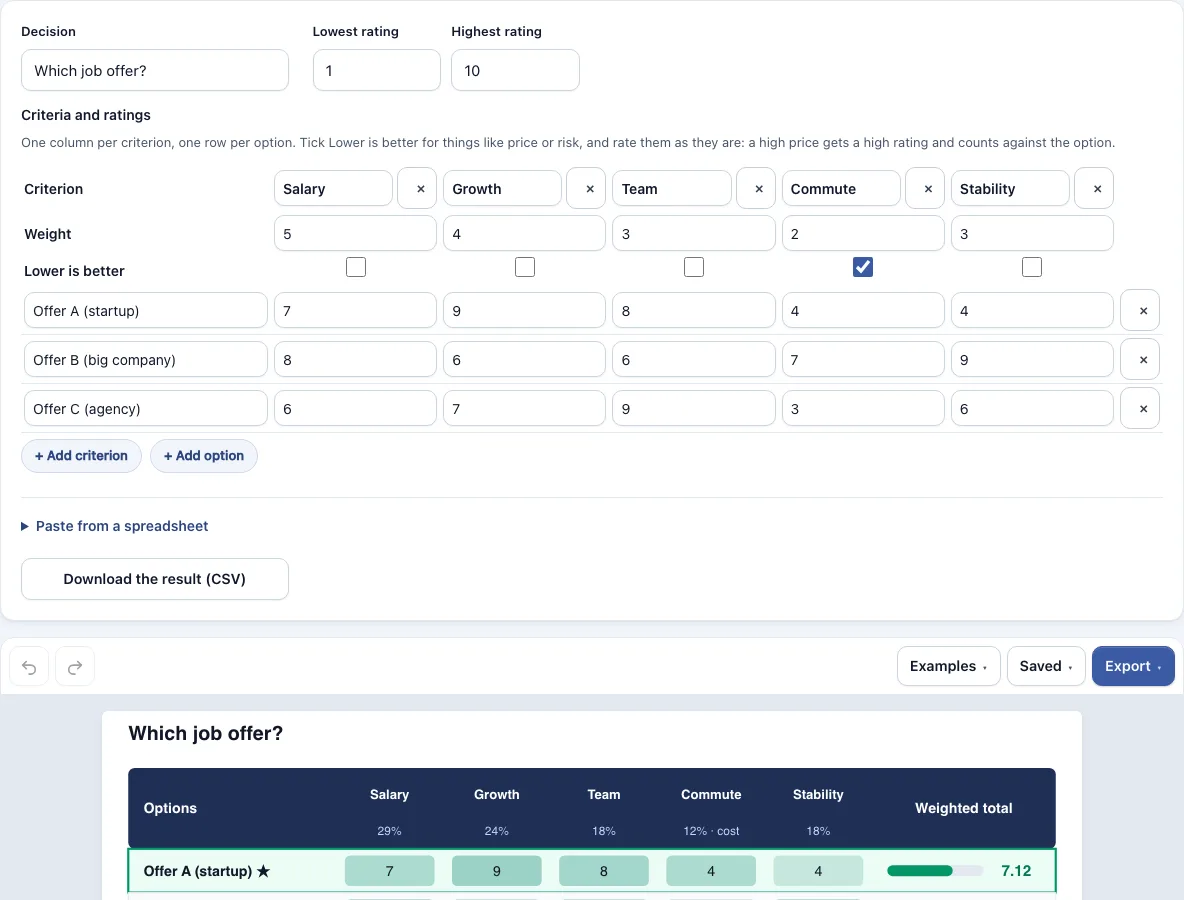
How to use the Weighted Decision Matrix
- Choose a starting point. Pick the job offer, laptop, software vendor or where to live example, or choose blank.
- Name your criteria across the top row. Each criterion gets its own column, up to 12.
- Enter a weight for each criterion in the Weight row. Any positive numbers work, because the tool converts them into shares of 100%.
- Tick Lower is better for any criterion where a smaller value is the good outcome, such as price, risk or effort.
- Name your options down the rows, up to 12 of them.
- Enter a rating for each option on each criterion. The scale defaults to 1 to 10, and you can change it.
- Read the weighted totals and ranks. Tied options share a rank.
- Read the sensitivity table to see the range each weight can move before the winner changes. The closest call is highlighted.
You can paste a table straight from a spreadsheet. The first row holds the criteria, an optional row starting with Weight sets the weights, and the options follow. Tabs, commas or semicolons all work, and semicolon files may use decimal commas. Your work autosaves in this browser, the Saved menu keeps named copies, and a share link holds the whole document. Results download as CSV, and the matrix exports as a PNG at 1x, 2x or 4x, an SVG or a picture PDF.
How do you calculate a weighted decision matrix?
Divide each weight by the total of all weights to get its share. Multiply each rating by its share, then add the results across the row. The highest total ranks first. For criteria marked Lower is better, a rating r on a 1 to 10 scale counts as 11 minus r.
The built-in job offer example shows the arithmetic. The weights are 5, 4, 3, 2 and 3, which total 17, so Salary takes 5 ÷ 17, or 29.4%, of each total.
| Criterion | Weight | Share |
|---|---|---|
| Salary | 5 | 29.4% |
| Growth | 4 | 23.5% |
| Team | 3 | 17.6% |
| Commute (lower is better) | 2 | 11.8% |
| Stability | 3 | 17.6% |
| Option | Weighted total | Rank |
|---|---|---|
| Offer A | 7.12 | 1 |
| Offer C | 7.00 | 2 |
| Offer B | 6.88 | 3 |
How do you assign weights to criteria in a weighted decision matrix?
Give each criterion a positive number that matches how much it should count toward the decision. A larger number means more influence. The tool converts the numbers into shares of 100%, so the numbers do not need to add up to any particular total. A weight may also be a percentage such as 70%. A cell that is not a number is named in a note, and so are criteria or options past the limit of 12. An empty rating counts as the worst rating, on lower-is-better criteria too.
- List every criterion that could change the outcome.
- Compare the criteria in pairs and decide which of each pair matters more.
- Assign numbers that reflect those differences, such as 5 for the most important criterion and 2 for a minor one.
- Enter the numbers in the Weight row and check the shares that appear in the results.
- Agree on the weights with the group before anyone scores an option.
How do you use a weighted decision matrix to make a real call?
Set the criteria and weights first, score each option, then read the totals and the sensitivity table together. The result is a real call when the winner stays first across a reasonable range of weights. If a small change to one weight would flip the result, discuss that weight before you commit.
- Settle the criteria and weights with the people affected by the decision.
- Score every option on one consistent scale.
- Tick Lower is better for price, risk or effort.
- Read the ranks, then check the sensitivity table.
- Decide, and save the CSV or PNG as a record.
In the job offer example, Offer A leads with 7.12. It stays first while Stability’s weight is under 21.3%. Stability is set at 17.6%, so the margin is 3.7 percentage points. Above 21.3%, Offer B takes over.
Frequently asked questions
What is a weighted decision matrix?
A weighted decision matrix scores each option against several criteria, and each criterion carries a weight for how much it matters. The weighted scores are added up so the options can be ranked side by side.
When should you use a decision matrix?
Use one when you have several options, several criteria that pull in different directions, and a decision that others need to understand. It helps most when two options look close and the reasons are hard to hold in your head.
Is weighted decision-making actually objective?
Not entirely. Weights make the importance of each factor visible, which a plain list of pros and cons does not. The scores are still judgments, so the process is clearer and easier to challenge, but it is not automatically neutral.
Should you use Excel to create a weighted decision matrix?
For a quick choice you will make once, a spreadsheet does the job. If you already have one, paste it here: the first row holds the criteria, an optional Weight row follows, and then the options.
What are the pros and cons of using a weighted decision matrix?
The main advantages are that trade-offs are shown openly, the weights become a shared decision, and the sensitivity table shows whether the winner is firm. The drawbacks are that setting criteria takes time, the ratings still depend on judgment, and too many criteria can blur the result.
Why does the weighting conversation matter more than the score?
Weights decide how much each criterion can change the outcome. If one person weights price heavily and another weights growth heavily, the same ratings can rank the options in opposite orders. Discussing weights first brings those differences out before they become an argument about totals.
How do you bring a weighted decision matrix to your leadership team?
Send a share link so everyone sees the same matrix, then agree the criteria and weights before scoring together. Export a PNG or picture PDF for slides, and keep the CSV of results for the record.
Is the weighted decision matrix template free to use?
Yes. The page is free in full, runs in your browser, and needs no account. Free exports include PNG at 1x, 2x and 4x, SVG and a picture PDF, all without a watermark, and results may be used commercially without attribution. Pro adds a vector PDF and a .drawio file that holds the matrix as one picture, not as editable shapes.
Related tools
Timelines, Org Charts & Business Frameworks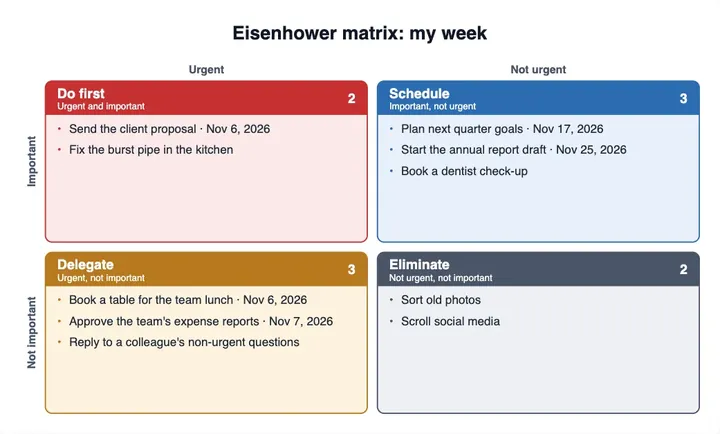
Eisenhower Matrix Template
use it to sort tasks by urgency and importance when the question is what to do first rather than which option to pick.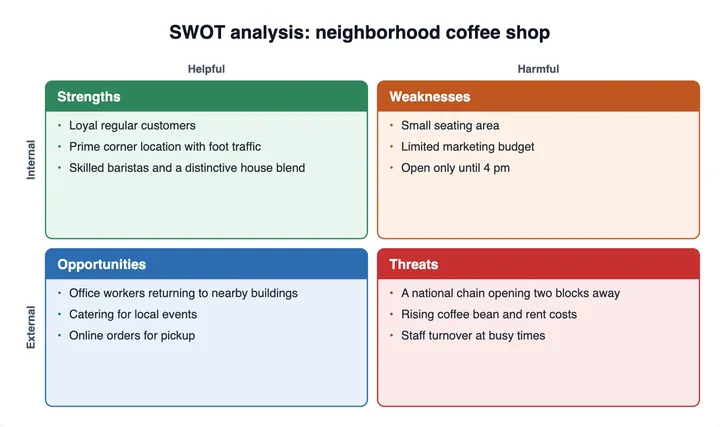
SWOT Chart Template
use it to list strengths, weaknesses, opportunities and threats before you choose the criteria for your matrix.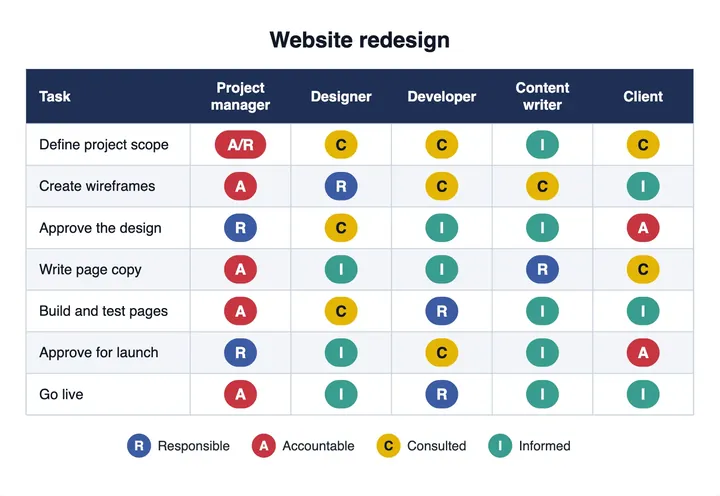
RACI Matrix Maker
use it to decide who is responsible, accountable, consulted and informed once a decision is made.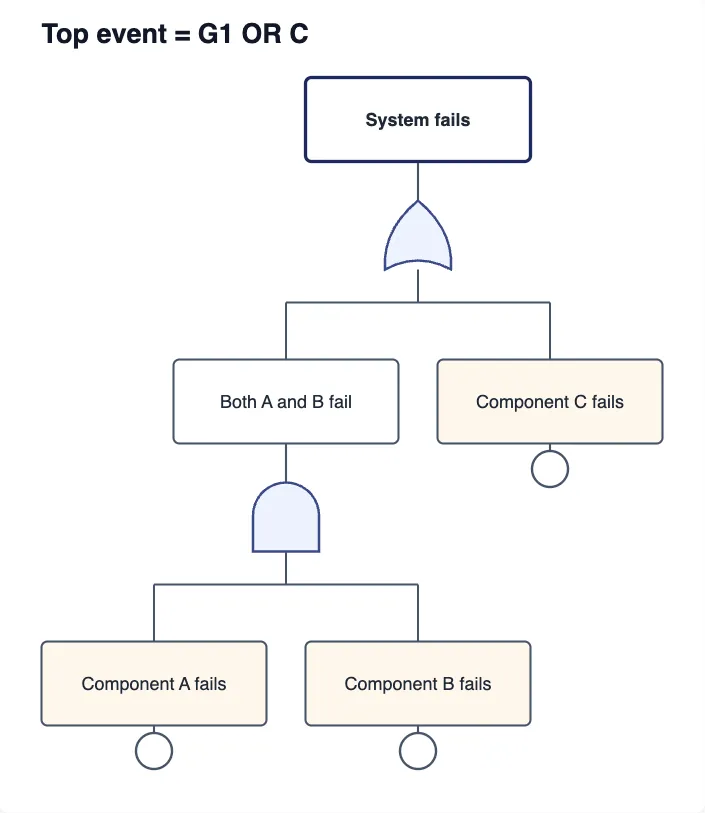
Fault Tree Analysis Maker
use it to map how a failure could happen, especially when you need to assess risk in a system.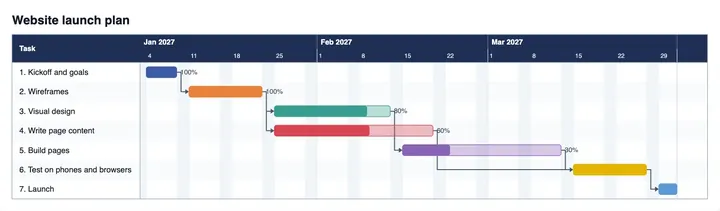
Gantt Chart Maker
use it to plan a project schedule with start and end dates.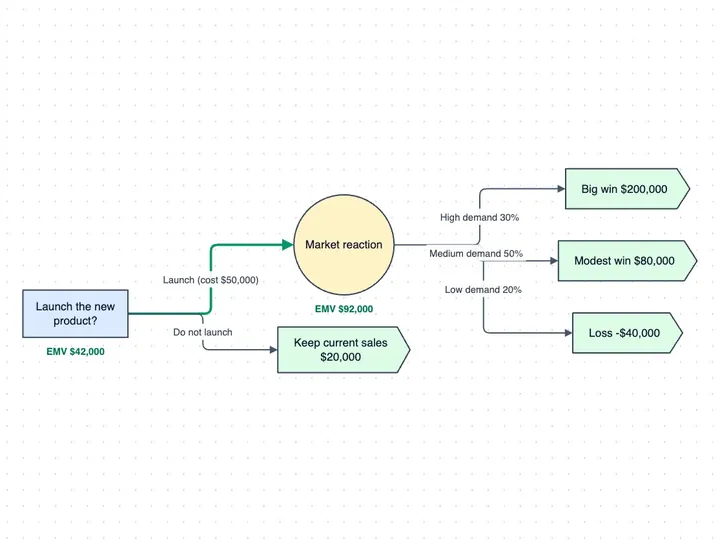
Decision Tree Maker
use it when your choice depends on a sequence of yes or no questions rather than a set of weighted scores.